
Creating Sales Quotation in Sienacloud System
1. Navigate to https://desarrollo.sienacloud.cl/webui/index.zul

2. Click this text field.

3. Type “capacitacion [tab] [tab]“
4. Click “Seleccionar Rol”

5. Click this checkbox.

6. Click “OK”

7. Click here.

8. Click “Rol Ejecutivo Ventas”

9. Click “OK”

10. Click here.

11. Click here.

12. Click here.

13. Click “Cotización”
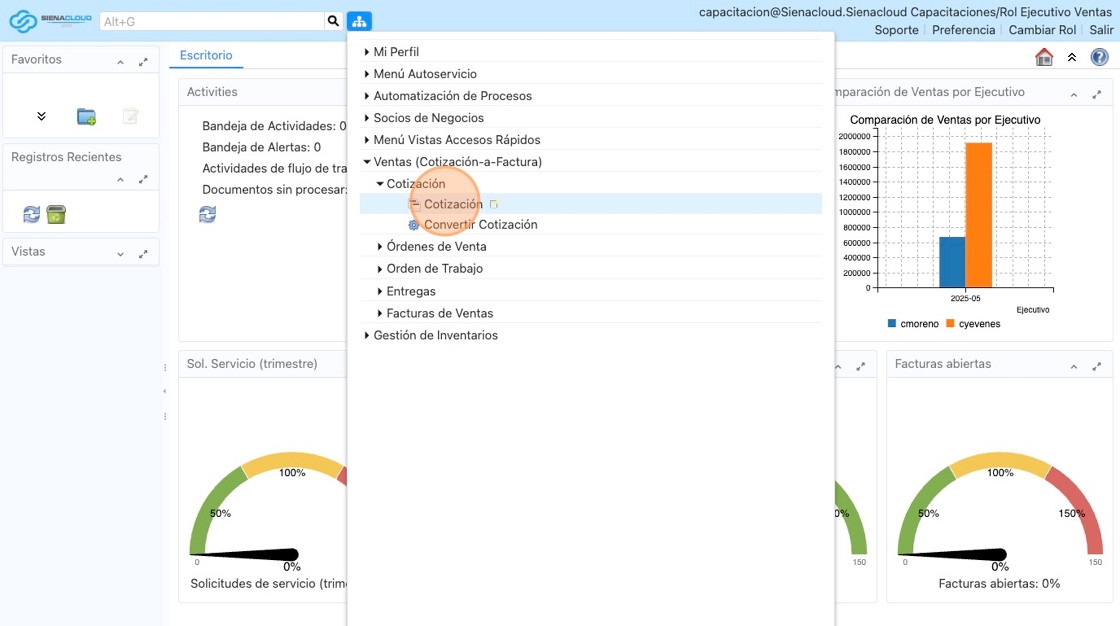
14. Click “Escritorio”

15. Click “Cotización”

16. Click this image.

17. Click here.

18. Type “wan [tab]“
19. Click here.

20. Click here.

21. Click here.

22. Click “CalmanRep Retira Producto”

23. Click this text field.

24. Click this text field.

25. Type ” [[CapsLock]] NA”
26. Click here.

27. Click “cmoreno”

28. Click this image.

29. Click this image.

30. Type ” [tab]“
31. Click this image.

32. Click this text field.

33. Type “%CERT% [[enter]]”
34. Click here.

35. Click this image.

36. Click this field.

37. Right-click this field.

38. Click “Editor”

39. Type “CERTIFICACI [[Dead]] ÓN EQUIPOS ALTA PRECICI [[Dead]] ÓN”
40. Open a new tab
41. Click this field.

42. Type ” [[Backspace]] S”
43. Click this image.

44. Click here.

45. Click “Acción”

46. Click this image.

47. Click here.

48. Click “Refrescar”

Made with Scribe
Comentarios recientes